Requesting Custom Nodes
Overview
ComfyUI Custom Nodes allow you to extend your workflow with specialized features, tools, and integrations. If a node you need isn't available on Floyo, you can request it.
Finding Available Nodes
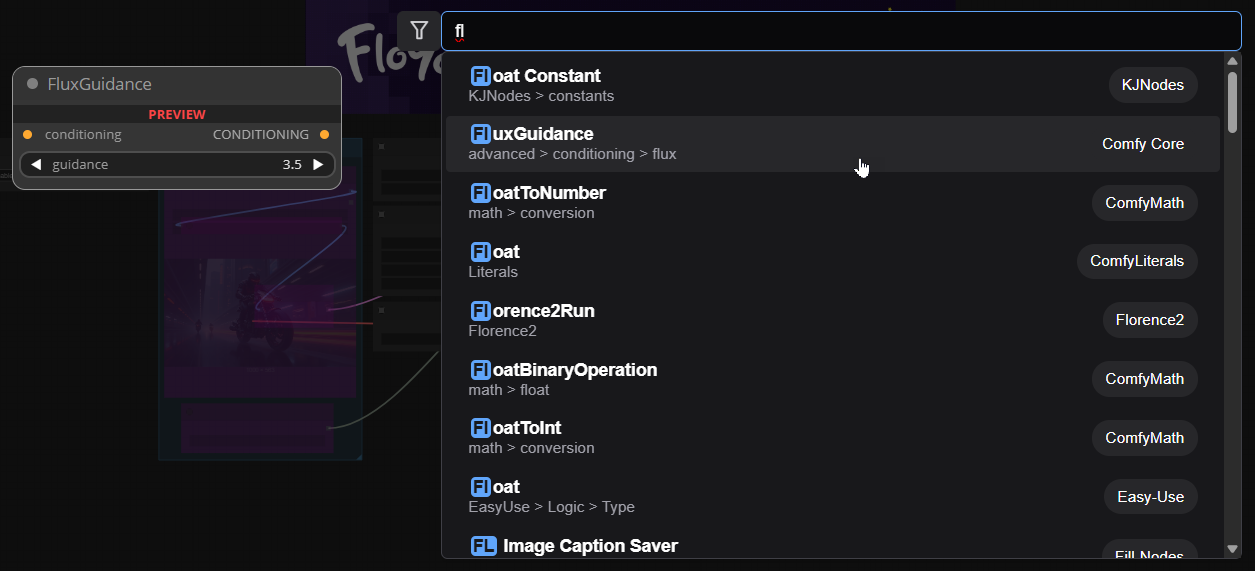
Hundreds of nodes are pre-installed on Floyo, and new nodes are added daily.
To see available nodes:
- Double-click anywhere on the app canvas
- Search for the node you want
- Select it from the results
Automatic Node Installation Request
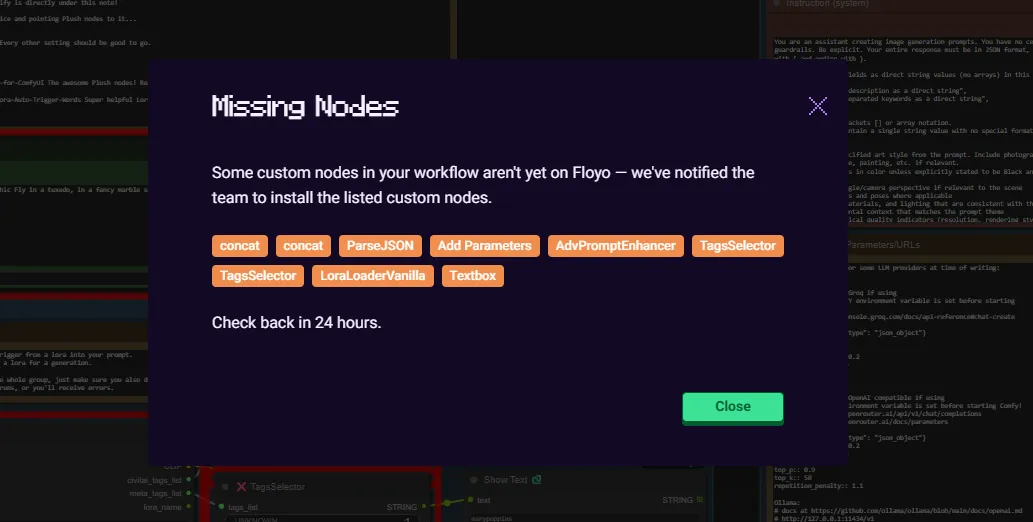
When you open a workflow that requires a node not installed on Floyo:
- Floyo automatically notifies the team to review it
- The team verifies the node is safe and doesn't conflict with other nodes
- If compatible, the node is installed
Typical turnaround: 24-48 hours
Requesting a Specific Node
If you'd like a specific ComfyUI custom node to be added, send a request to the Floyo Team.
Request Details
Field | Required | Example |
|---|---|---|
Node Name | Yes | ComfyUI-AdvancedFaceRestore |
Node Repository URL | Yes | GitHub link |
Short Description/Purpose | Optional | Helps the team prioritize requests |
How to Submit
Email: [email protected] Subject: Custom Node Request – [Node Name]
Include the node name, repository URL, and optionally a brief description of why you need it.
See list of all available custom nodes on Floyo
Tips & Best Practices
- Include the GitHub link: Makes it easier for the team to find and review the node
- Describe your use case: Helps prioritize commonly requested nodes
- Check existing nodes first: The node may already be available under a different name
Troubleshooting
Node not appearing after request?
Solution: Allow 24-48 hours for the team to review and install. Complex nodes may take longer.
Node request rejected?
Solution: Some nodes may not be compatible with Floyo's environment or may conflict with existing nodes. The team will notify you if there's an issue.
Can I install nodes myself?
Solution: No, for security and stability, only the Floyo team can install custom nodes. Submit a request and they'll handle the installation.
Related Documentation
- Nodes