Script to Voice
Script to Voice workflows convert written text into natural-sounding speech using AI-generated voices, for narrations, voiceovers, character dialogue, podcasts, and other spoken audio, with no manual recording.
Overview
Script to Voice workflows turn written text into spoken audio using AI voices. Use them to create narrations, voiceovers, character dialogue, podcasts, and other spoken content without recording a voice yourself.
Example Workflow
Step 1: Open the Workflow
Open the workflow in the canvas.
Step 2: Enter Your Script
Locate the text input node and enter the content you want the model to speak.
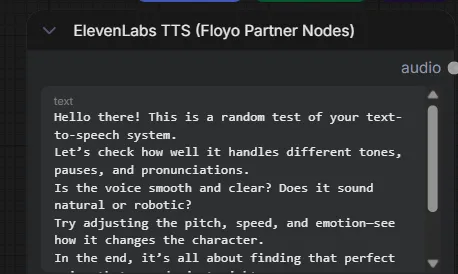
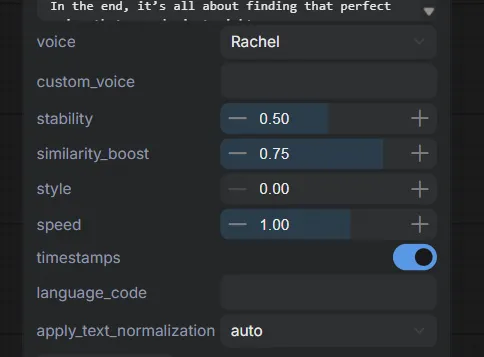
Step 3: Select a Voice
Choose a voice from the available voice options
Different voices may provide different speaking styles, accents, and tones.
Click the Play button in the bottom toolbar to generate the audio.
Step 5: Download the Output
Once generation is complete, navigate to the outputs folder to preview and download the generated audio file.
Common Use Cases
🎙️ Voiceovers
Narration for tutorials, product demos, presentations, and training materials.
📖 Audiobooks
Convert written content into spoken audio for easier consumption.
📣 Marketing content
Voiceovers for ads, social media content, and promotional campaigns.
🎭 Character dialogue
Speech for AI-generated characters, animations, and storytelling projects.
🎧 Podcasts & narration
Quickly create spoken content for podcasts, articles, and long-form audio.
Additional Workflows
For more info. you can also visit our use-case page -