Redeeming your Promo Code
2 min
If you've received a promo code from our team:
1. Create an account on Floyo
2. Go to pricing and upgrade to the monthly or yearly plan that's relevant for you
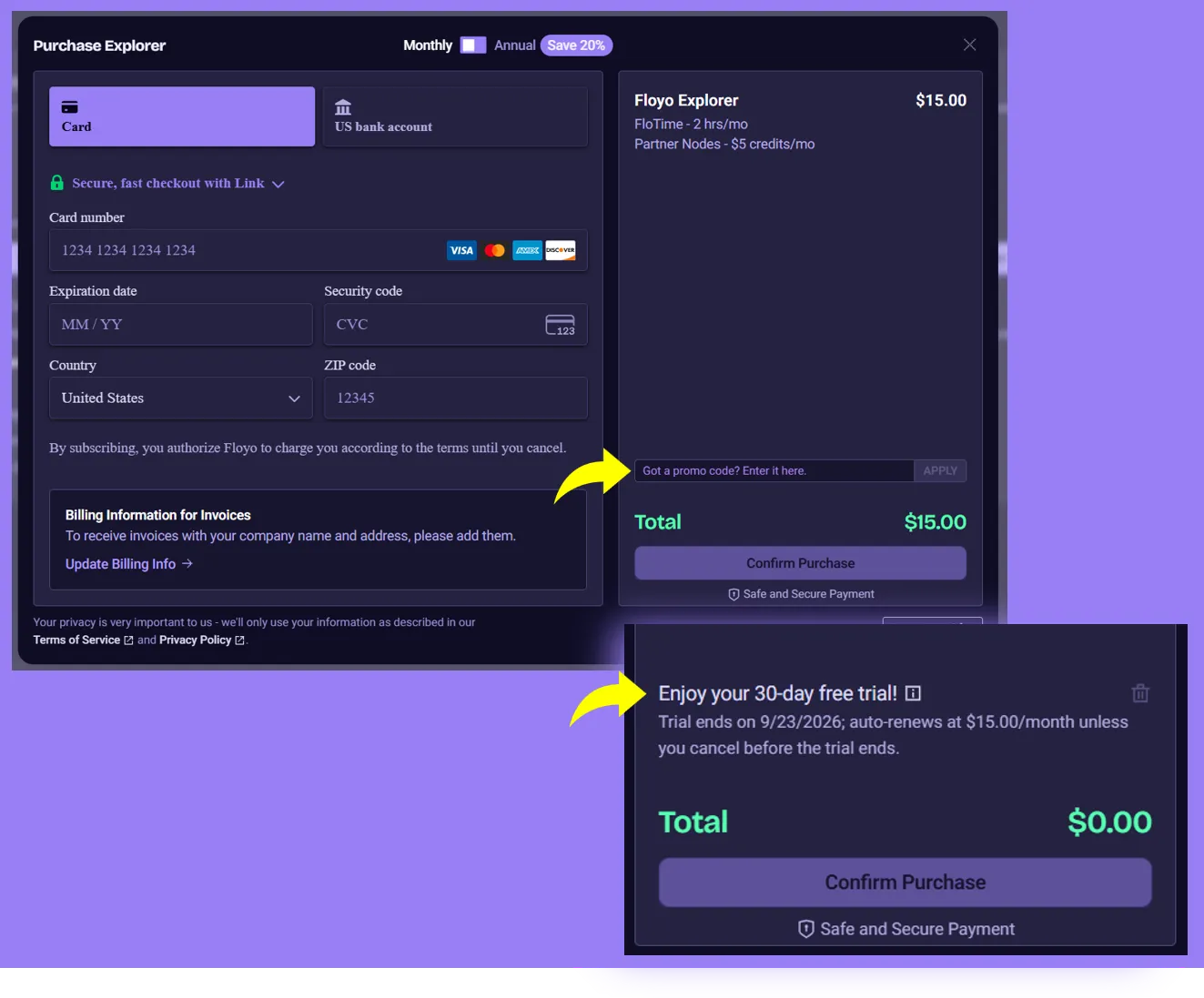
3. At checkout, use the code our sales team has provided [ YOUR EXCLUSIVE CODE ]
Cancelling or changing plans
- If you do not want the subscription to start after the trial, you can cancel anytime before the trial ends.
- When you cancel during the trial, your plan stays active until the trial end date and then does not renew.
- Changing plans is disabled while you are on the free trial.
If you have teammates to bring on...
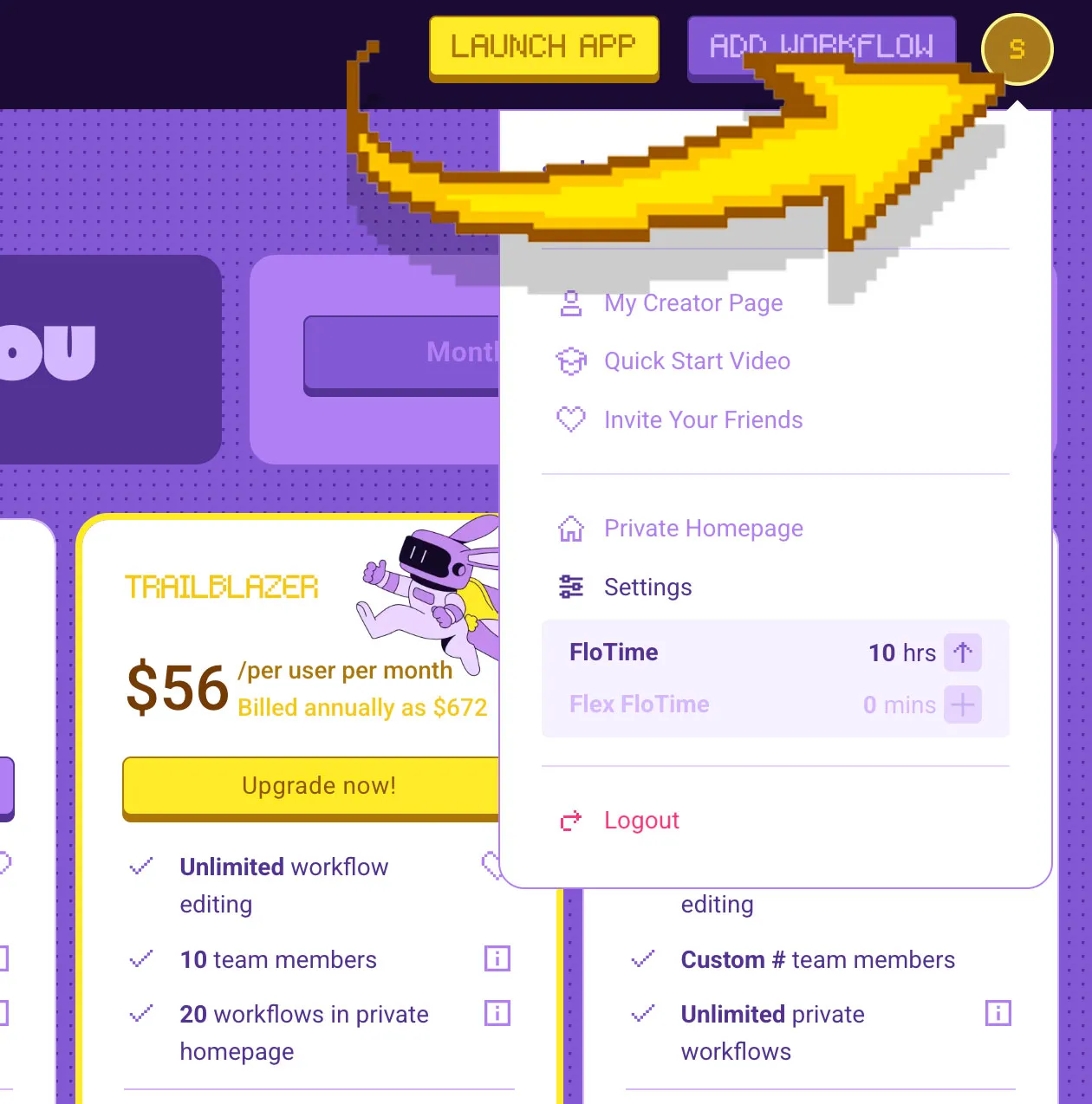
4. To invite your team, go to Settings on the top-right corner of your homepage.
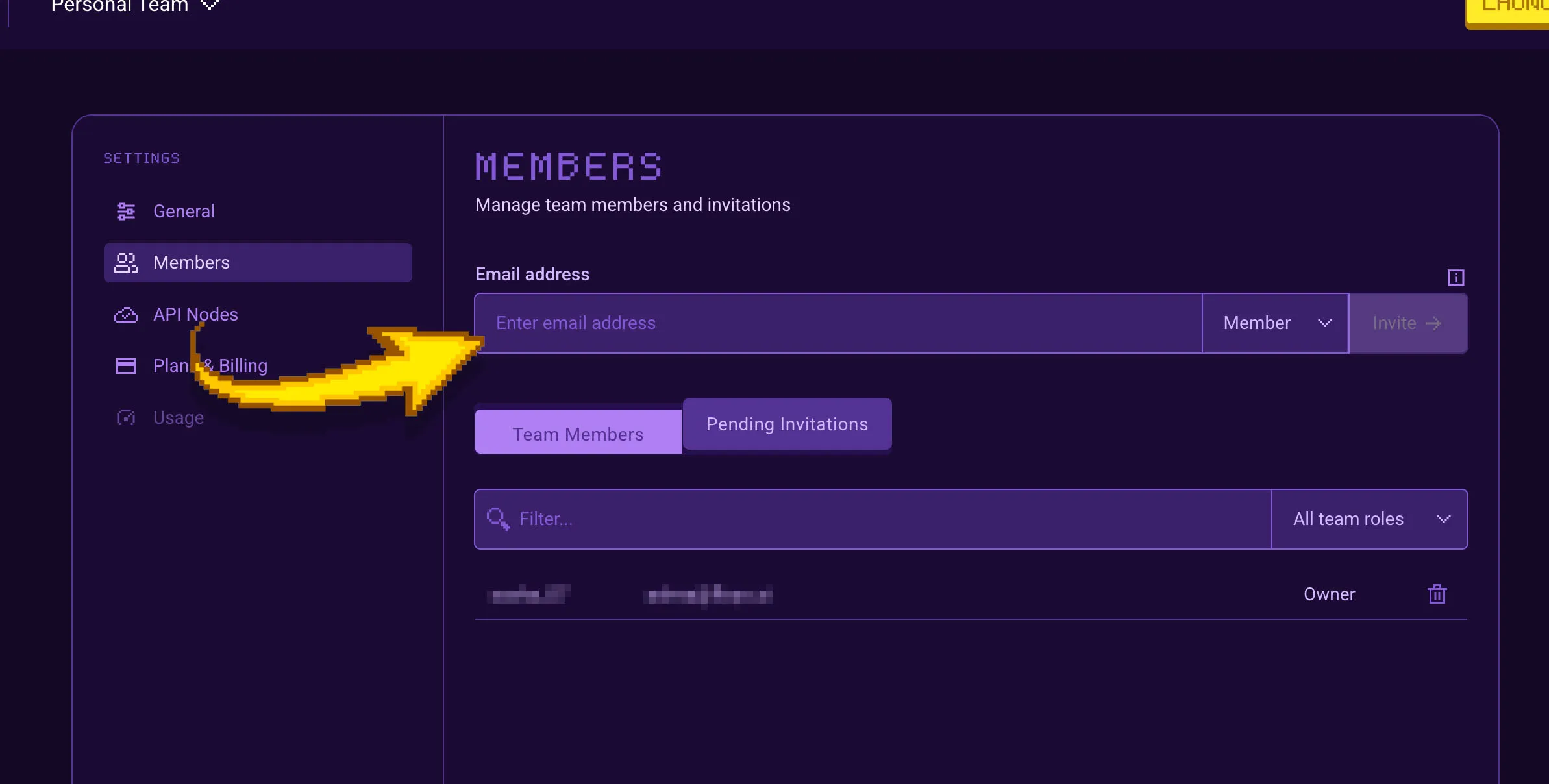
5. Go to Members, and invite your team to Floyo.