Floyo API
4 min
Overview
The Floyo API page lets you create and manage your API Keys.
Accessing Floyo API Settings
- Click your profile icon in the top-right corner
- Under TEAMS, select the team you want to manage
- Click Settings
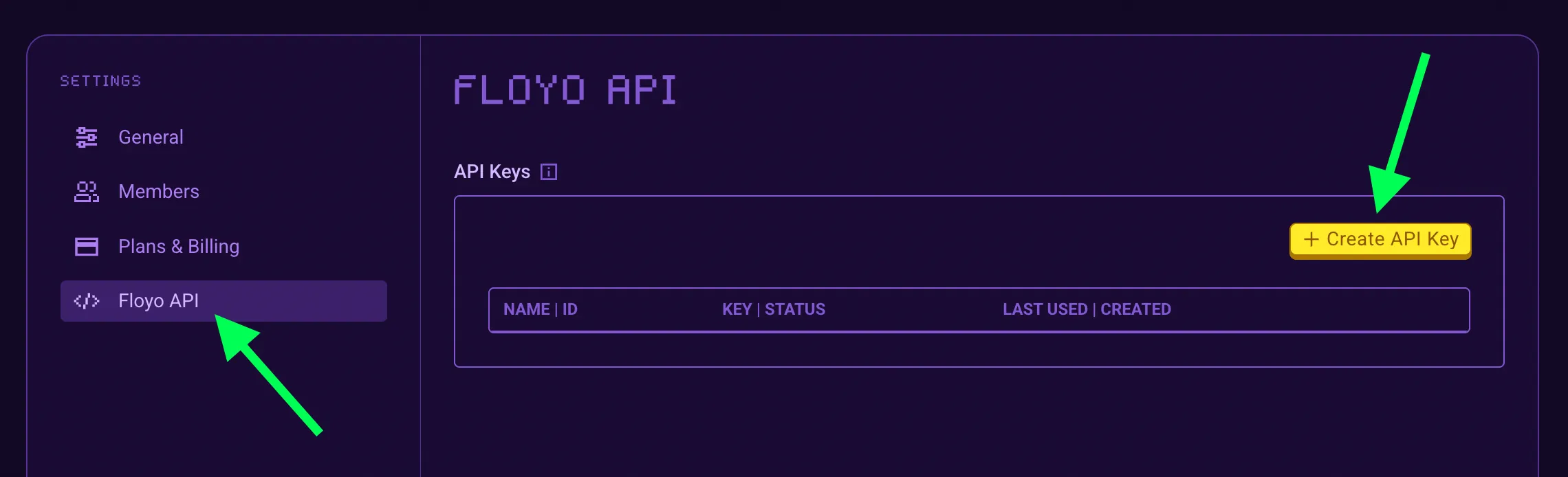
- Select Floyo API from the settings menu
Create and Manage Floyo API Keys
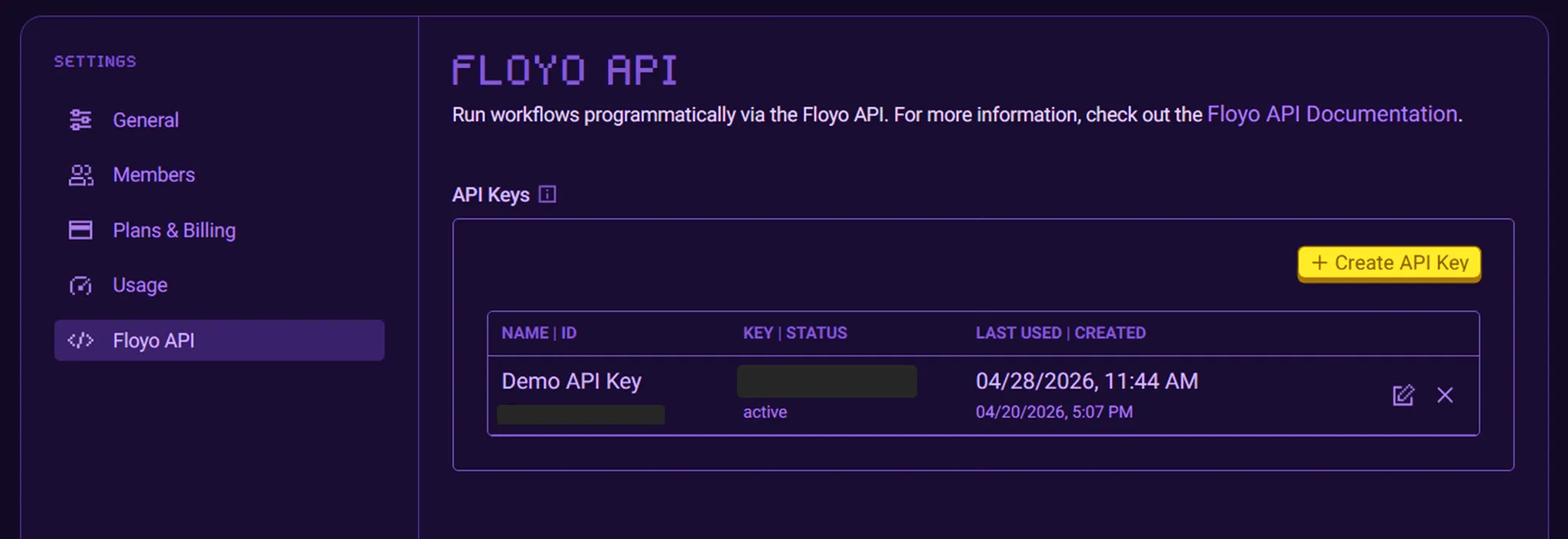
- To create a new API key select, Create API Key.
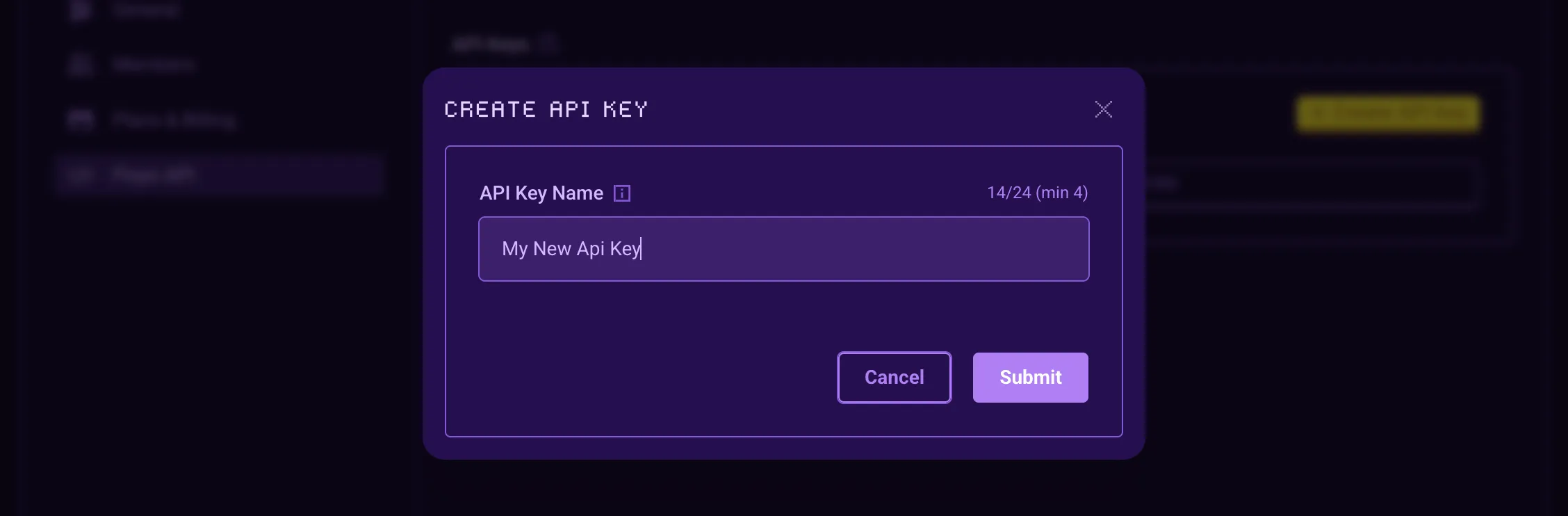
- You’ll be prompted to provide a descriptive name for the key to help you identify its use case later.
- Once generated, your secret key will be revealed. Store it safely.
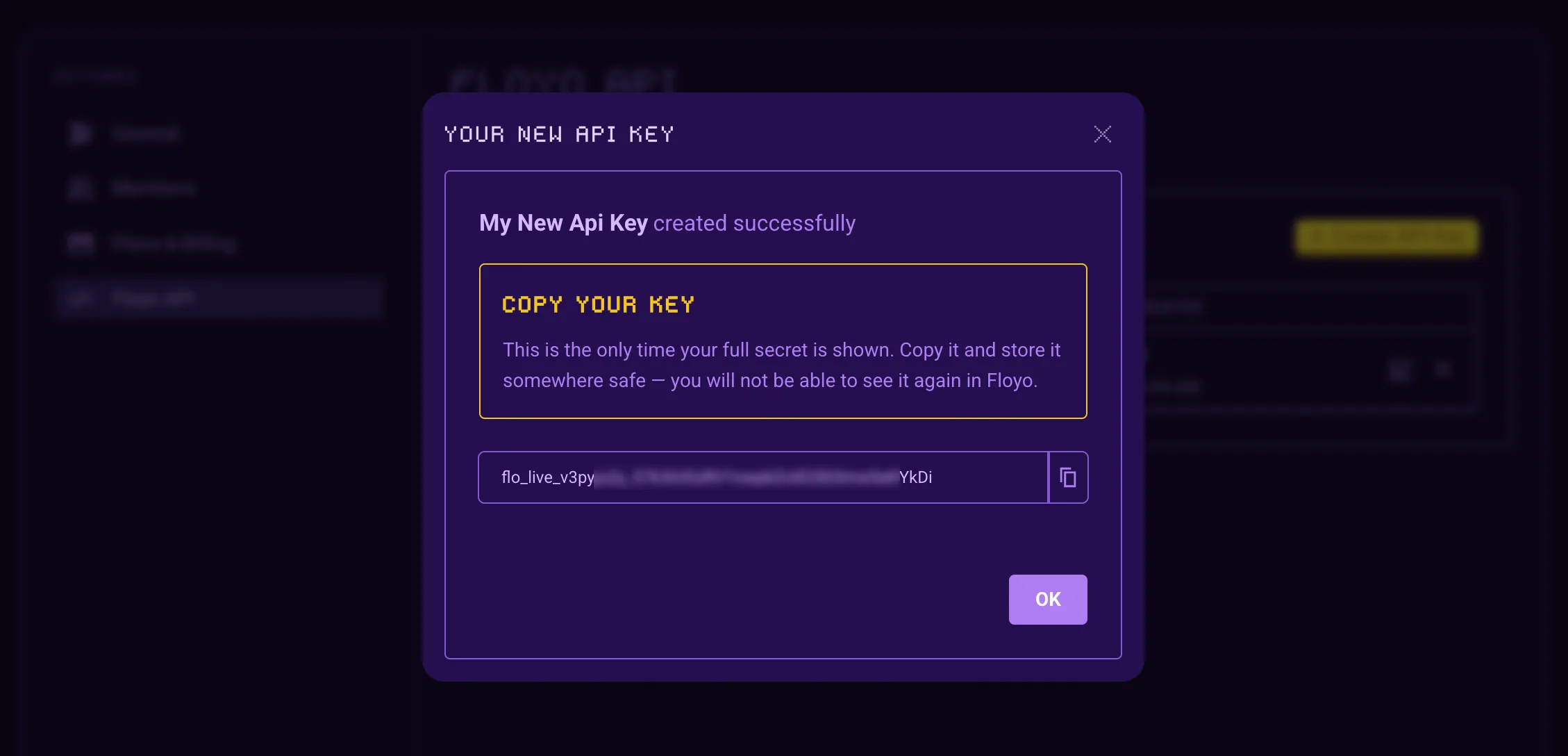
Keep your secret safe.
This is the only time your full API key will be displayed. For security reasons, Floyo does not store the raw secret, meaning you will not be able to retrieve it again once you leave this screen. We recommend storing it immediately in a secure vault or environment manager.