3rd-Party API Keys
Overview
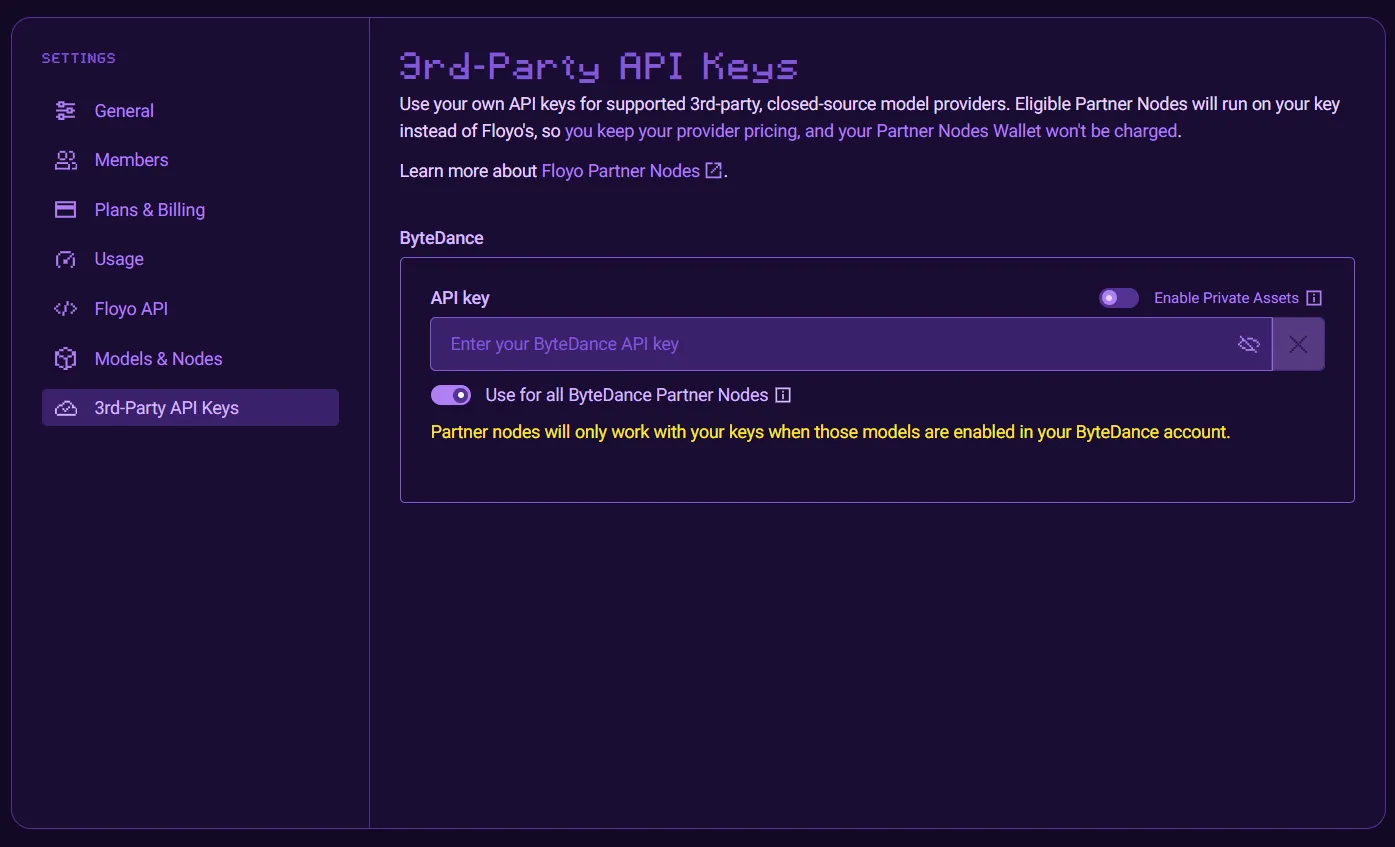
Use your own API keys for supported 3rd-party, closed-source model providers with Settings > 3rd-Party API Keys. Eligible Partner Nodes run on your key instead of Floyo’s, so you keep your provider pricing and your Partner Nodes Wallet won’t be charged.
This feature is only available for Enterprise customers. Please contact Sales for more information.
Accessing 3rd-Party API Keys Settings
- Click your profile icon in the top-right corner
- Under TEAMS, select the team you want to manage
- Click Settings
- Select 3rd-Party API Keys from the settings menu
Configure ByteDance Key
Typical configurations of Bytedance simply requires your API Key. You may, however, have obtained access to ByteDance's Private Asset Library feature required for using realistinc human inputs with certain models.
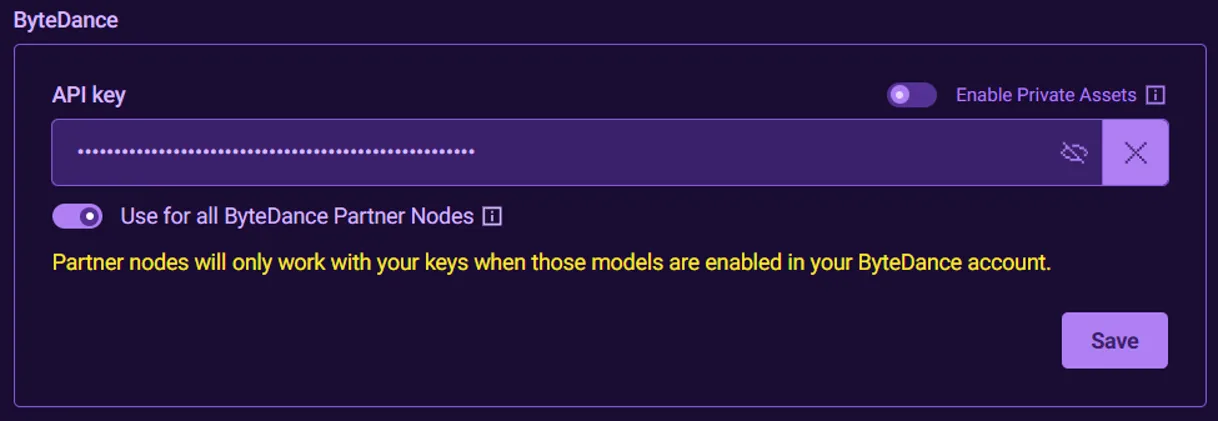
- For basic configuration, simply
- Enter your API Key
- Click Save
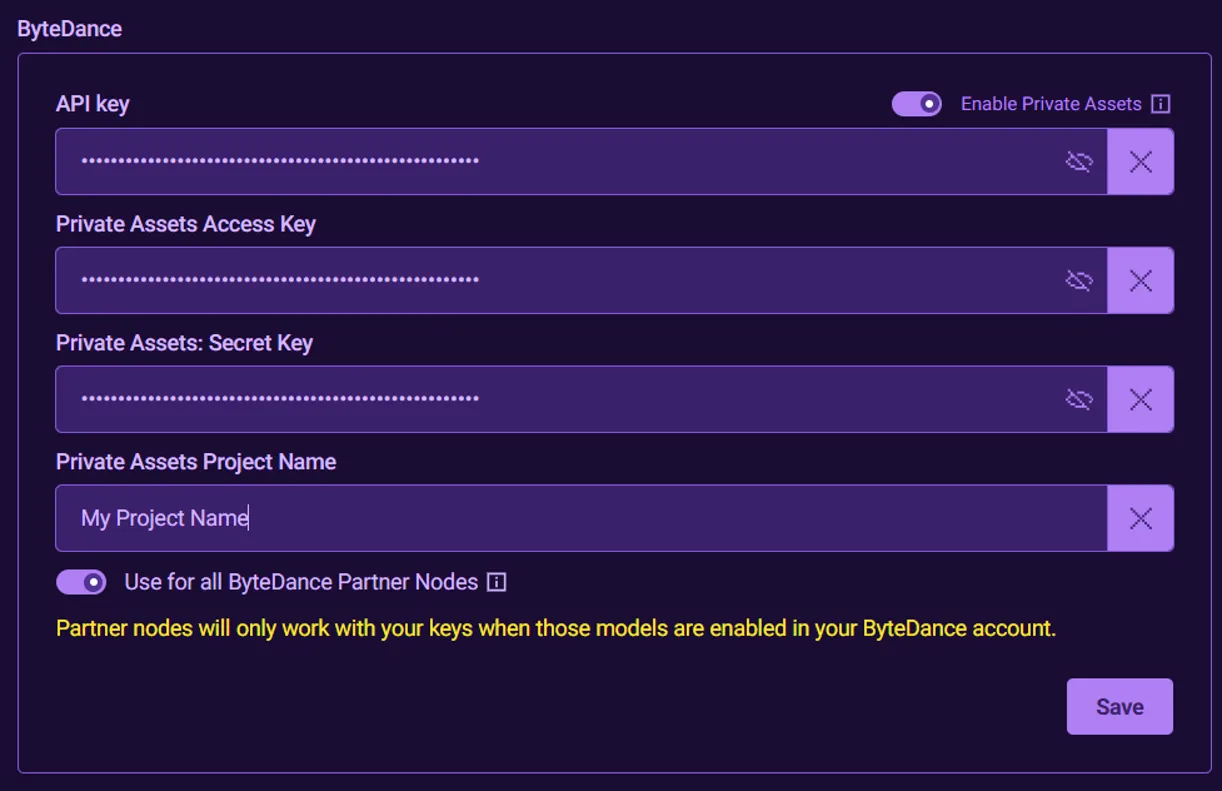
- If you have access to ByteDance's Private Asset Library feature, then
- Switch on Enable Private Assets
- Enter your private assets Access Key, Secret Key, and Project Name
- Click Save
- By default, your key will apply to all eligible ByteDance Partner Nodes. You may wish to only use your API key for specific ByteDance models/nodes. To do so
- Switch off Use for all ByteDance Partner Nodes
- Select the specific models/nodes with which you wish to use your API key.
- Click Save
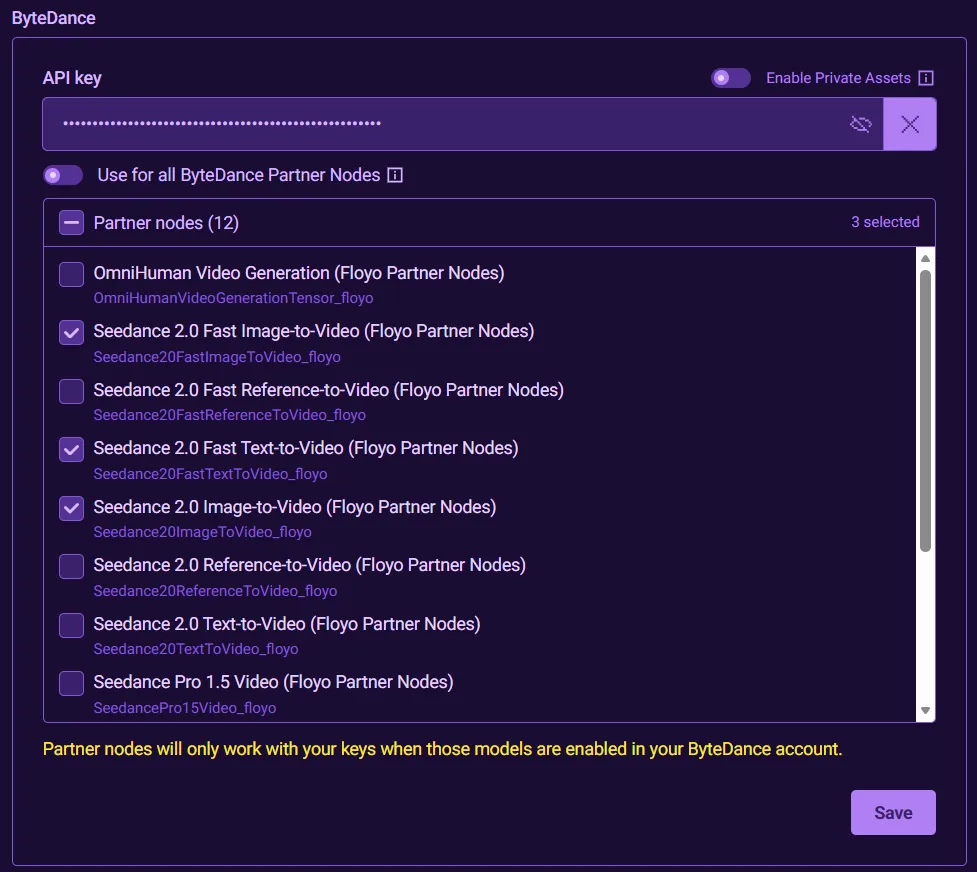
ByteDance enables specific models to your API key. Floyo Partner Nodes will only work with your key when the corresponding models are enabled in your ByteDance account.
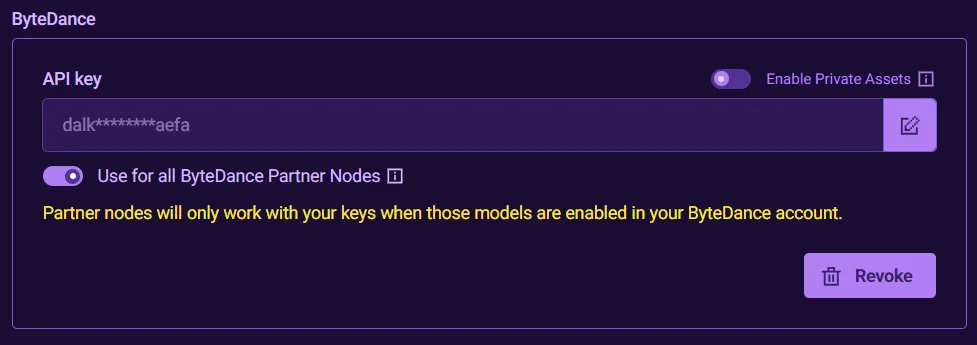
- You can remove your key at any time by clicking on the Revoke button.
Configure Runway Key
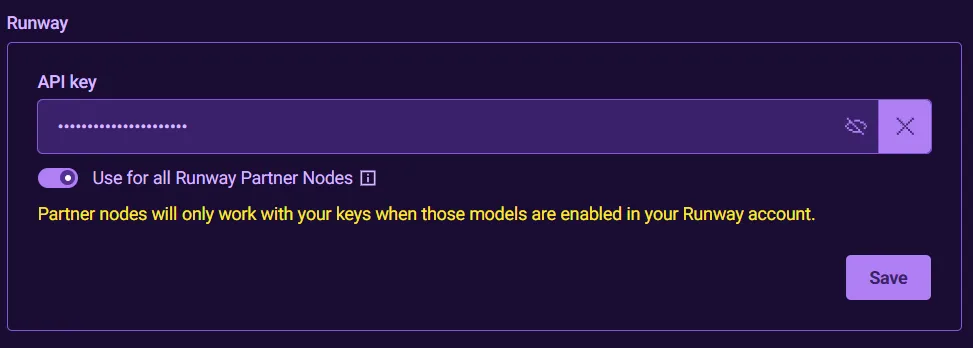
- Enter your API Key and click Save
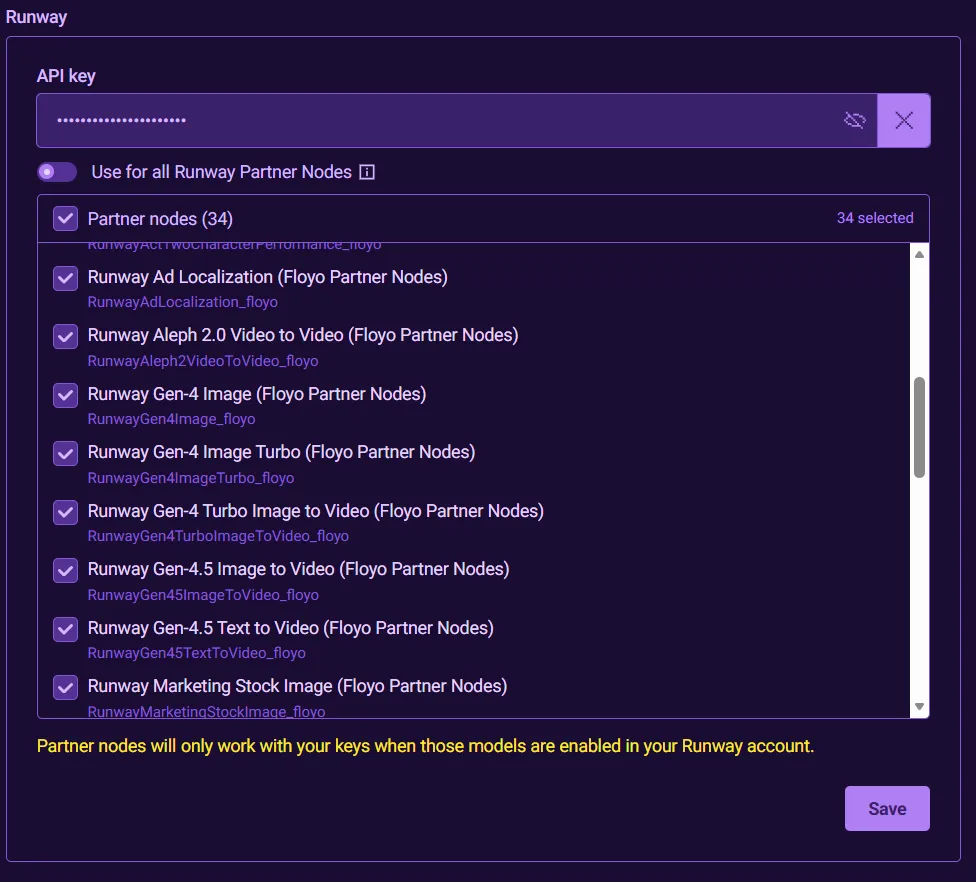
- By default, your key will apply to all eligible Runway supported Partner Nodes. You may wish to only use your API key for specific Runway models/nodes. To do so
- Switch off Use for all Runway Partner Nodes
- Select the specific models/nodes with which you wish to use your API key.
- Click Save
Partner Node Wallet not Charged
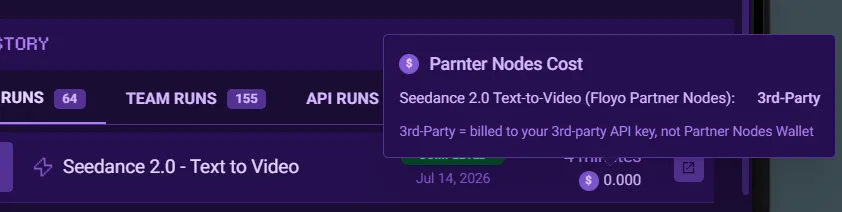
Floyo Partner Nodes using your configured 3rd-Party API keys will not incur any charges to your Parter Nodes Wallet as your 3rd-Party provider will charge your API key usage directly. Your Run History will reflect the $0.00 charges accordingly, and the tooltip breakdown will clearly indicate which nodes costs are 3rd-Party direct charges.