Workflow Status & Troubleshooting
6 min
QUEUE
The workflow has been submitted and is waiting for processing.
Expected behavior
- Workflows are processed in order of availability.
- During peak usage, workflows may remain in the queue longer than usual.
What to do
- Wait for the workflow to begin processing.
- Upgrade your plan for priority access and faster queue processing.
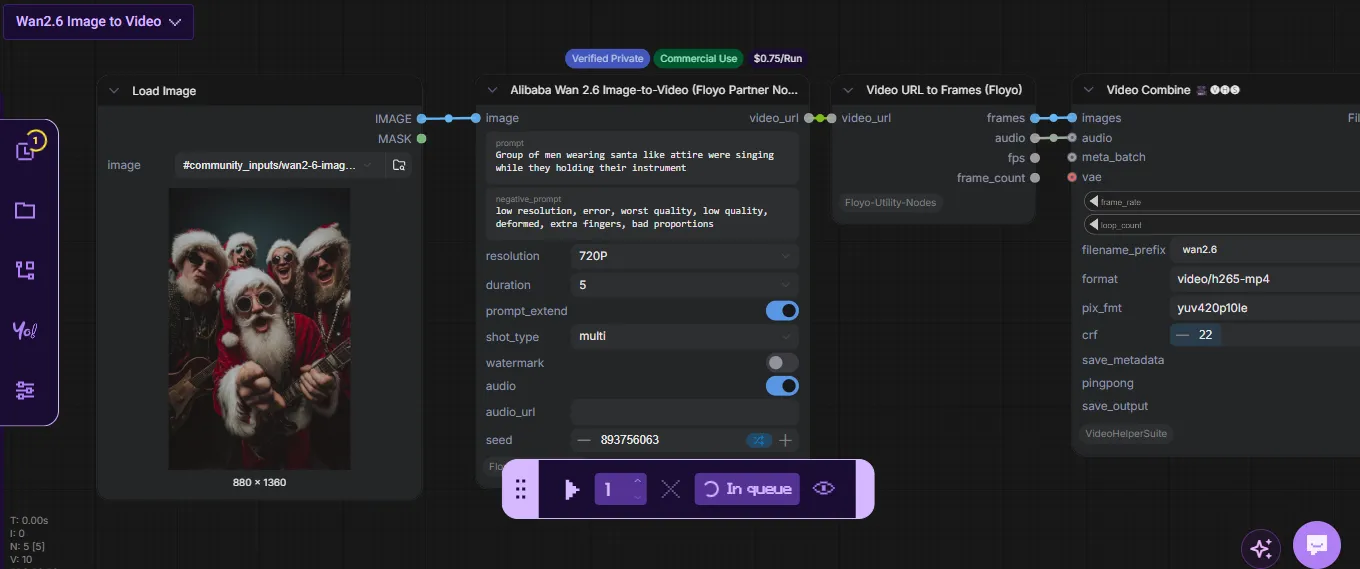
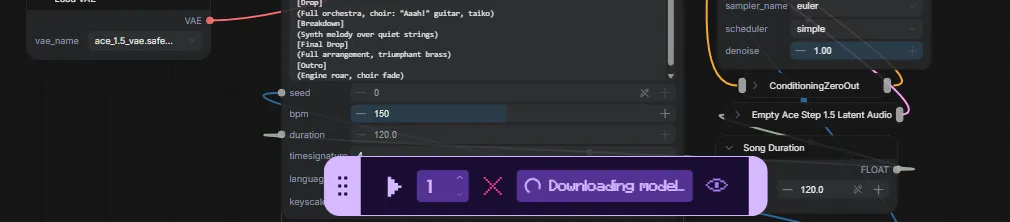
DOWNLOADING MODEL
The workflow is downloading one or more required models before execution.
This commonly occurs when:
- The model is being used for the first time.
- A model was recently updated.
- The model is not currently cached.
Expected behavior
Large models may require several minutes to download.
What to do
- Allow the download to complete.
- Avoid submitting duplicate workflow runs.
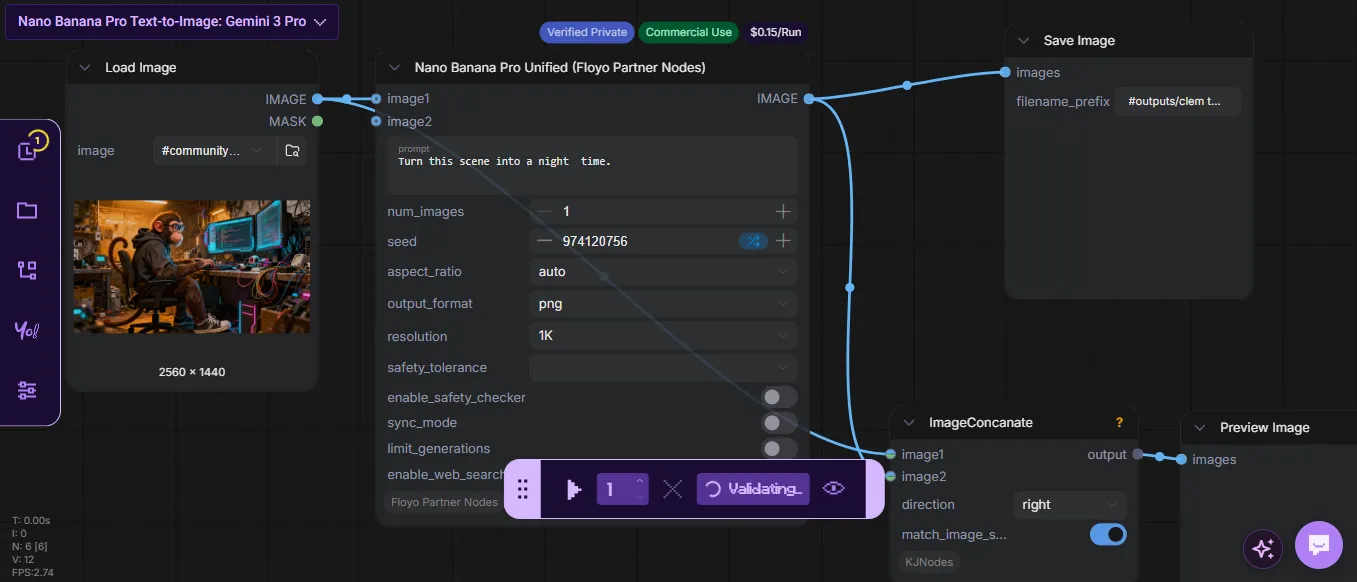
VALIDATING
The workflow configuration is being checked before execution.
Validation verifies:
- Required models
- Node dependencies
- Workflow structure
- Input requirements
Expected behavior
Validation usually completes within a few seconds.
What to do
- Wait for validation to finish.
- If validation remains active for an extended period, try running the workflow again.
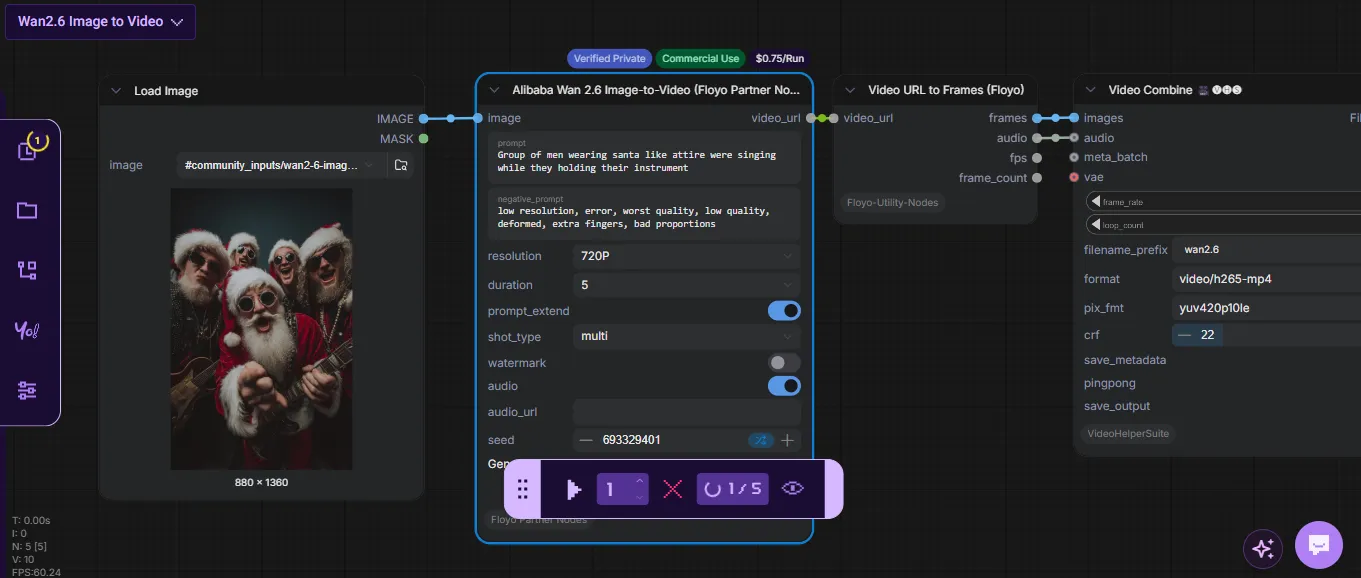
RUNNING
The workflow is actively processing.
Execution time depends on:
- Workflow complexity
- Number of nodes
- Model size
- GPU availability
Expected behavior
Some workflows may take significantly longer than others.
What to do
- Allow the workflow to complete.
- Avoid refreshing repeatedly.
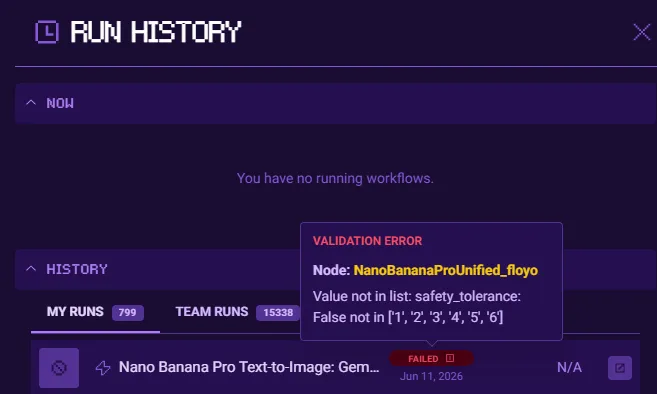
FAILED
The workflow could not complete successfully.
Common causes include:
- Invalid inputs
- Missing dependencies
- Workflow configuration issues
- Temporary infrastructure errors
What to do
- Review the error message.
- Verify workflow inputs.
- Retry the workflow.
- Contact support if the issue persists.
WHEN TO CONTACT SUPPORT
Contact support if:
- A workflow remains in Queue for an unusually long period.
- Downloading Model does not progress after an extended time.
- Validation never completes.
- The same workflow consistently fails after multiple attempts.
- You receive an error message that does not provide enough information to troubleshoot.
Include:
- Workflow URL
- Run ID
- Screenshot of the error
- Approximate time of execution