Upscaling
Upscaling increases an image's resolution while preserving or enhancing detail. Use it to prepare images for print, large displays, social media, and marketing, anywhere you need a higher-resolution version.
Overview
Upscaling increases an image's resolution while preserving or enhancing visual detail.
KEY DISTINCTION- Unlike a standard resize, AI upscaling can generate additional detail, improve sharpness, and produce higher-quality results not just stretch the existing pixels.
It's commonly used when preparing images for printing, large displays, social media assets, marketing materials, or any time you need a higher-resolution version of an image.
Example workflow
Step 1: Load the Upscaling Workflow
Open an upscaling workflow from the Discover page or import your preferred workflow into the canvas.
Step 2: Upload Your Image
Load the image you want to enhance.
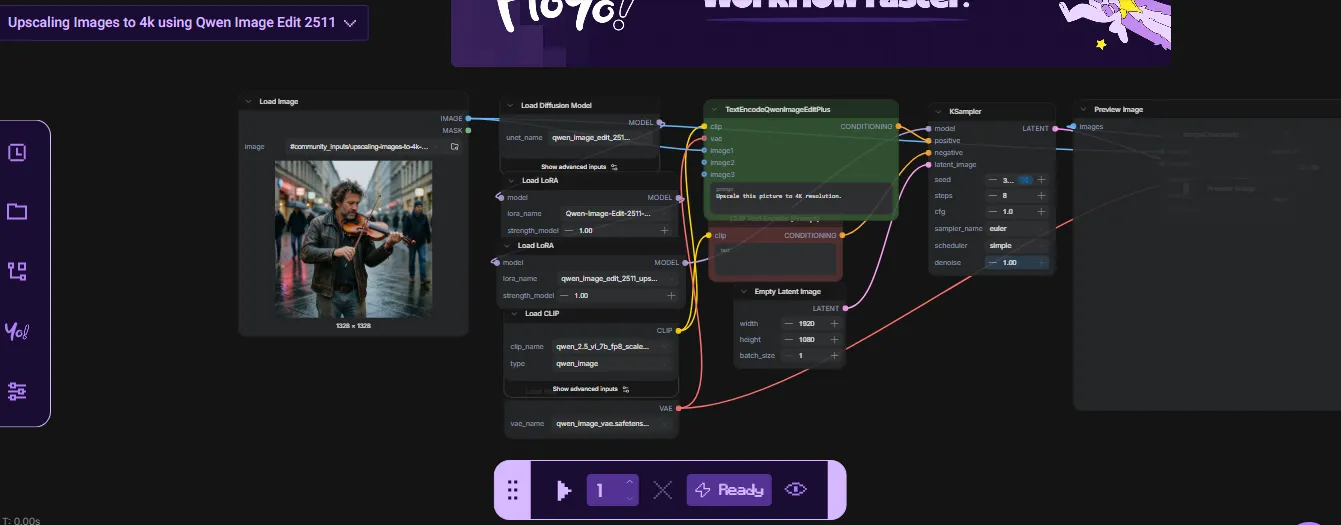
Step 3: Configure Upscaling Settings
Depending on the workflow, you may be able to adjust settings such as:
- Upscale factor
- Output resolution
- Model selection
- Detail enhancement options
Higher settings may improve image quality but can increase processing time.
This workflow is configured with default settings and can be used without making any changes.
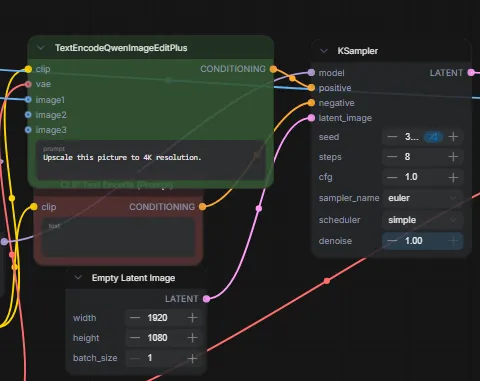
If you're new to upscaling, simply add a prompt such as:
"Upscale this image"
or describe any additional enhancements you'd like to make.
Advanced users can adjust the workflow settings, upscale models, or output parameters to further customize the result, but this is not required to get started.
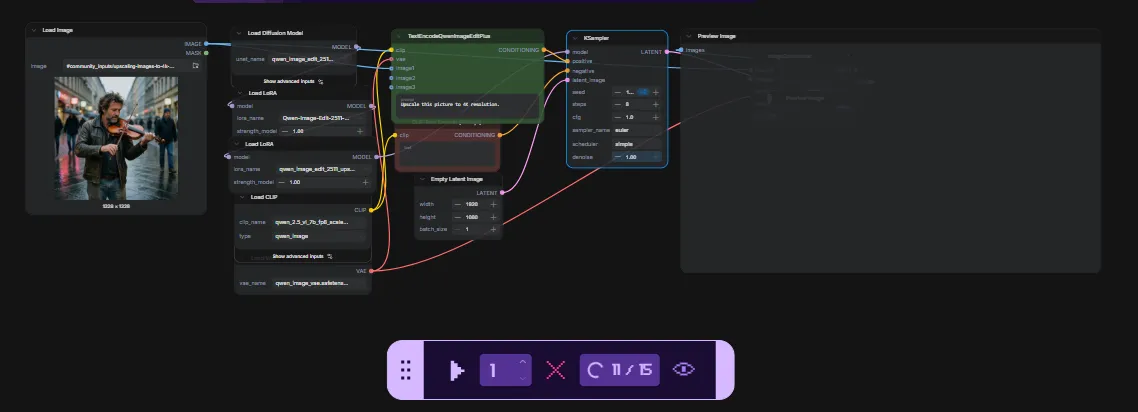
Step 4: Run the Workflow
Click the Play button in the bottom toolbar to start processing.
Once the workflow completes, the upscaled image will be available in the outputs folder.
Common Use Cases
🤖 Improving AI-generated images
AI images are often generated at small resolutions. Upscaling produces larger, more detailed versions suitable for sharing or printing.
🖨️ Preparing images for print
Increase resolution for posters, marketing materials, presentations, and other print applications.
🔧 Enhancing existing images
Older, low-resolution, or compressed images can benefit from AI upscaling that improves sharpness and clarity.
📱 Social media & content creation
Generate higher-resolution assets for websites, social posts, videos, and promotional content.
Recommendation for more workflows:
For more info. you can also visit our use-case page
Tips
- Start with the highest-quality source image available.
- Larger upscale factors may require additional processing time.
- Different upscaling models can produce different results, so experiment to find the best option for your image.
- Review outputs at full resolution to evaluate detail enhancement and image quality.